
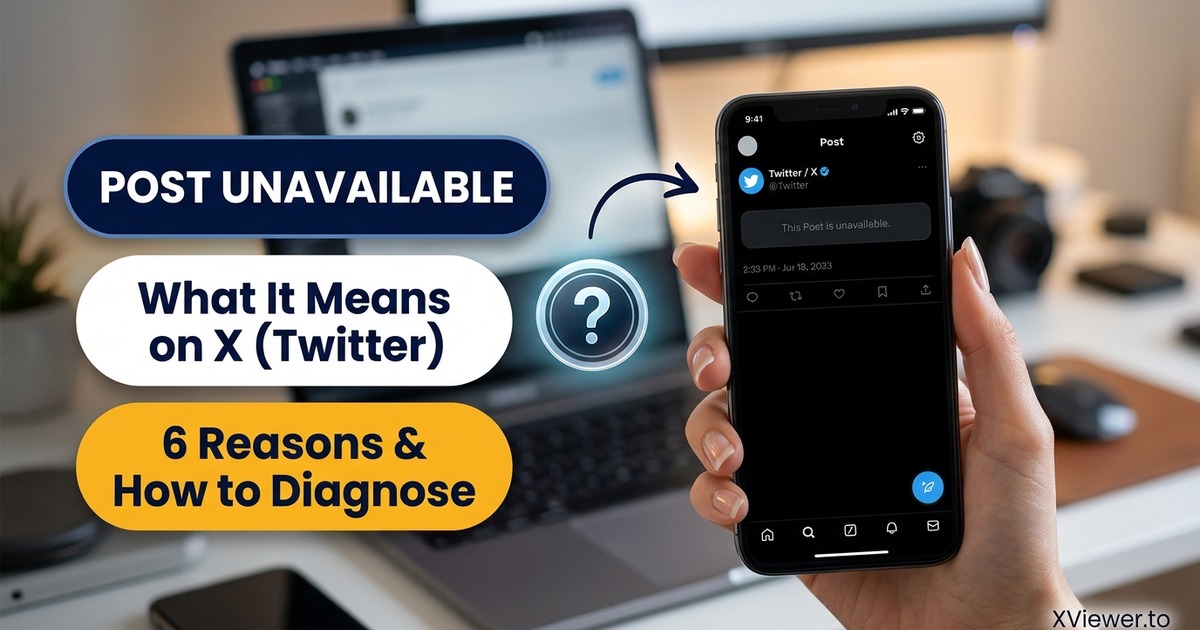
The message "This Post is unavailable" on X (Twitter) means the specific tweet cannot be retrieved because it was deleted by the author, posted by a protected (private) account, removed due to a policy violation, restricted in your geographic region, or flagged as age-restricted sensitive media.
Few things on the internet are more irritating than scrolling through a viral conversation, clicking on a quote tweet or linked source, and finding a blank gray box that simply says "This Post is unavailable". Even worse, X rarely explains why the post disappeared, leaving you to guess whether the author blocked you, the platform took it down, or your internet connection glitched.
In this exhaustive guide, we dissect the 6 exact reasons why tweets become unavailable on X, how to tell which scenario you are dealing with, whether third-party tools or viewers can recover the post, and how to troubleshoot false alarms.
Quick Diagnostic Table: Why Is a Post Unavailable?
Before diving into the detailed explanations, use this quick checklist to identify your issue:
| Reason | What Happened Behind the Scenes | Can It Be Recovered by a Viewer? | What You See on Screen |
|---|---|---|---|
| 1. Author Deleted the Post | The creator manually clicked "Delete post" in their account. | No (Permanent deletion) | Empty gray card; permalink returns HTTP 404. |
2. Account Went Private (🔒) | Author toggled "Protect your posts" in settings. | No (Gated by OAuth) | "These posts are protected" or blank embed. |
| 3. Account Suspended / Banned | X suspended the account for terms of service violations. | No (Database freeze) | Entire profile shows "Account suspended". |
| 4. Sensitive / Adult Content | Post contains adult or graphic media requiring 18+ login. | No (Requires adult session) | "The following media includes potentially sensitive content." |
| 5. Geoblocked / Legally Withheld | Local government or court ordered the post blocked in your country. | Yes (Via external VPN or viewer) | "This post has been withheld in [Country] in response to a legal demand." |
| 6. The Author Blocked You | The author added your personal username to their blocklist. | Yes (Via anonymous viewer) | "You're blocked. You cannot view or follow @username." |
The 6 Real Reasons Behind "This Post Is Unavailable"
Let's break down each of these six causes in technical detail so you know exactly what is happening behind the scenes:
1. The Author Deleted the Tweet
The most common reason a tweet becomes unavailable is simply that the person who posted it chose to delete it.
Creators delete posts for dozens of everyday reasons:
- Fixing an embarrassing spelling mistake, broken link, or factual error.
- Backtracking on a controversial opinion that attracted unwanted backlash.
- Deleting a promotional announcement that has expired.
- Scrubbing old social media history before applying for a new job.
What happens technically: When an author deletes a tweet, X's backend marks the row in its primary database as deleted and pushes a cache-invalidation event across its Content Delivery Network (CDN). The permalink (x.com/user/status/123456) now returns an HTTP 404 Not Found status code.
Can external viewers recover it? No. Legitimate tools like XViewer query public syndication feeds in real time. We do not maintain an illegal permanent archive of deleted tweets. If the creator chose to delete their words, the content is permanently purged from X's servers.
2. The Account Is Protected (Private)
If a user decides to switch their account from public to Protected (marked with a padlock icon 🔒 next to their name), every single tweet they have ever posted is immediately removed from the public internet.
What happens technically: When someone switches to protected status, X's GraphQL API revokes public read permissions. Whenever a web request arrives for that post, X's backend inspects the request's cookies:
- Is there an active user session (
auth_token)? - Is that logged-in user on the author's approved followers list?
If the answer to either question is no, the server returns an HTTP 403 Forbidden error. To any logged-out visitor, search engine, or third-party tool, the tweet appears as completely unavailable.
Curious about how private accounts work and whether third-party tools can bypass them? Read our in-depth investigation on whether you can see private Twitter accounts.
3. Account Suspension or Deactivation
If a post violated X's rules regarding spam, hate speech, copyright infringement, harassment, or platform manipulation, X's moderation team may suspend the offending account. Alternatively, the user may have voluntarily deactivated or deleted their entire account.
What happens technically:
When an account is suspended or deactivated, all of their tweets, retweets, and profile media are taken offline simultaneously. If you try to open the author's profile directly (x.com/username), X displays a full-page banner stating: "Account suspended: X suspends accounts that violate the X Rules".
Because the underlying data pipeline is halted, every quote tweet, retweet, and reply associated with that user turns into "This Post is unavailable".
4. Age-Restricted or Sensitive Content
X allows adult content, graphic news footage, and sensitive media under specific community guidelines, provided the creator flags their account as containing sensitive material.
What happens technically:
When a post is tagged as sensitive, X's syndication API refuses to transmit the media files (pbs.twimg.com images or video.twimg.com MP4 video manifests) to unauthenticated visitors.
If you are logged into an account that has "Display media that may contain sensitive content" turned off in privacy settings, or if you are browsing without logging in, X blocks the media container and renders a warning prompt. To unauthenticated readers, this often manifests as a broken or unavailable embed.
5. Legal Demands and Geoblocking (Country-Specific Withholding)
In many countries (including India, Turkey, Germany, and Brazil), local courts or government regulators can legally order X to block specific accounts or tweets that violate local defamation, national security, or hate speech laws.
What happens technically: X complies with local legal frameworks through a mechanism called Country Withheld Content. When a request arrives, X inspects the user's geographic IP address:
- If the IP originates from the country that issued the legal restriction, X returns a localized placeholder: "This post has been withheld in [Country] in response to a legal demand."
- If the request originates from any other country where the post is legal, the tweet loads normally.
Can it be viewed? Yes. Because the post is still live in other parts of the world, connecting through an external server or accessing the post through an international viewer like XViewer can resolve the content.
6. The Author Blocked Your Personal Account
If you were logged into your personal X account when you encountered the "unavailable" message, the author may have personally blocked you.
What happens technically: When user A blocks user B on X:
- User B cannot see user A's posts, replies, media, or follower lists while logged into their account.
- Embedded quotes from user A appear as blank gray boxes on user B's timeline.
How to test this: Log out of your X account, open a private browsing (Incognito) tab, or paste the link into XViewer. If the post loads immediately when you are logged out, your account was simply blocked by the creator.
Can Third-Party Viewers Unlock "Unavailable" Posts?
If you search the web for solutions, you will find shady websites, forum posts, and YouTube tutorials claiming they have "secret tools" to unlock any unavailable, deleted, or private tweet.
Here is the blunt, technical truth:
- Deleted Posts: Once a post is deleted from X's database, no third-party viewer can magically resurrect it in real time unless an archival snapshot was captured beforehand on the Wayback Machine (archive.org) or archive.today.
- Private Accounts: No web tool on earth can read tweets from a locked account without being an approved follower. Anyone asking for your password or offering a "private tweet viewer" is running an account-hijacking phishing scam.
- Legitimate Viewers (XViewer): Online viewers excel at bypassing frontend login prompts, client-side account blocks, and IP-based soft rate limits. If a post is genuinely public on X's servers, XViewer will render it cleanly. But if X's backend has deleted or locked the post, no viewer can display it.
To understand how authentic viewers work and how to protect yourself from fake tools, read our comprehensive guide on are Twitter viewer sites safe?.
4 Practical Ways to Find or Read an Unavailable Post
If you urgently need to see the information contained in an unavailable tweet for research, legal documentation, or personal curiosity, try these four legitimate workarounds:
1. Check the Internet Archive (Wayback Machine)
If the tweet was posted by a high-profile politician, celebrity, journalist, or viral account, web scrapers and internet archivists often save static snapshots before deletion occurs.
How to check:
- Copy the full tweet URL (e.g.,
https://x.com/username/status/123456789). - Go to web.archive.org.
- Paste the URL into the search box and press Enter.
- If a calendar view appears with blue circles, click on the most recent date to view a cached snapshot of the tweet as it appeared before being removed.
2. Search for Quotes and Screenshots on Google
When a notable account deletes a controversial tweet, hundreds of other users immediately capture screenshots or quote the exact text in replies.
How to search:
- Take the author's
@handleand a unique phrase from the tweet (or the tweet ID number). - Search Google using quotation marks:
"username" "exact words from tweet" site:x.com - Check Google Images or Reddit: Very often, someone posted a high-resolution screenshot to
r/Twitteror a relevant subreddit within minutes of publication.
For more advanced search query techniques, see our guide on how to search Twitter without an account.
3. Open the Link in XViewer (Rule Out Frontend Glitches)
Frequently, a tweet is not deleted; instead, X's mobile app or desktop browser session glitched because an ad-blocker blocked an essential tracking script, or your unauthenticated session hit a soft rate limit.
Test it immediately:
- Copy the status URL.
- Open XViewer.to in your browser.
- Paste the URL and hit View.
- If the post loads in XViewer, the tweet is active and healthy—the issue was purely a localized glitch or login wall on your device.
4. Use Google Cache / Text Cache
While Google deprecated its direct cache: operator in 2024, search engine index snippets still retain cached fragments of recent tweets.
- Search the exact status URL in Google.
- Look at the 2-line preview snippet underneath the title: Google frequently retains the first 160 characters of the tweet text right in the search results page even after the author deletes the live link.
How to Prevent Your Own Posts from Becoming "Unavailable"
If you are a content creator, journalist, or researcher sharing important information on X, you probably want to ensure your posts remain accessible to your followers and readers:
- Keep Your Account Public: If you toggle your account to private, every post you have ever shared will immediately break across external blogs, embeds, and news citations.
- Avoid Flagging Normal Content as Sensitive: Do not turn on the account-wide "Mark media you post as containing material that may be sensitive" setting unless strictly necessary. Doing so locks your images and videos behind an age-verification wall for logged-out readers.
- Archive Important Threads: If you are publishing critical research, consider submitting your thread URL to archive.today immediately after publishing so a permanent historical record exists even if your account is later suspended or compromised.
Frequently Asked Questions (FAQ)
Does "This Post is unavailable" mean I was blocked?
Not necessarily. In fact, most of the time it means the tweet was deleted by its author or the account is private. To check if you were blocked, open the author's profile (x.com/username) while logged into your account. If it says "You're blocked", then you were blocked. If the profile loads normally, the specific tweet was deleted.
Can I see who deleted an unavailable tweet?
If you have the status URL, you can see the @handle right in the URL structure: x.com/AUTHOR_NAME/status/123456789. However, X will not reveal why the tweet was deleted or whether it was removed by the user or by X's moderation team.
Why do some tweets say "This Post is unavailable" inside a quote tweet?
When user A quotes user B's tweet, and user B subsequently deletes their original post or switches their account to private, the quoted card inside user A's post cannot fetch the source data. User A's commentary remains visible, but the embedded quote turns into an "unavailable" card.
Can police or law enforcement see deleted tweets?
Yes. Under standard legal process (such as a subpoena, court order, or search warrant), social media platforms retain internal server logs and database backups for a period of time after user deletion. However, this data is strictly reserved for legal authorities and is never accessible to the public.
Summary
When you see "This Post is unavailable" on X, do not assume your phone or internet connection is broken. In 95% of cases, the author simply deleted the tweet, switched their profile to private, or ran afoul of platform guidelines.
While deleted posts cannot be recovered by live web utilities, you can easily verify whether a tweet is genuinely gone or simply hidden behind a login wall: copy the URL into XViewer. If the tweet is public, XViewer will render it instantly—clean, fast, and completely anonymous.
Need to check whether an account is still active? Head over to our Twitter Profile Viewer to look up their current bio and follower status.